Why we built trmbl
Every app on your Mac talks to the internet all day, and you can see almost none of it. trmbl is a small Mac app that shows you. It’s out today. This is the long version of why we made it, what it shows, and what it deliberately won’t do.
The question with no answer
Try asking something simple about your own computer. What did that app just send, and where did it go?
You can open Activity Monitor and get a number of bytes. That’s about it. Your Mac knows which app opened which connection and how much went down it. It has never been in the habit of telling you in words a person can read.
For years that was a complaint for people who enjoy reading packet logs. Then apps started sending whole documents, codebases and conversations to a model on somebody else’s server so it could answer you. The stuff leaving your laptop got a lot more personal, and the view of it stayed exactly as bad as it had always been.
There are good network tools for the Mac already. Most of them are built for people who know what a port is and want to block things. We wanted the other one: the tool you’d hand to a friend who just wants to know what their laptop is up to.
Start with who is talking
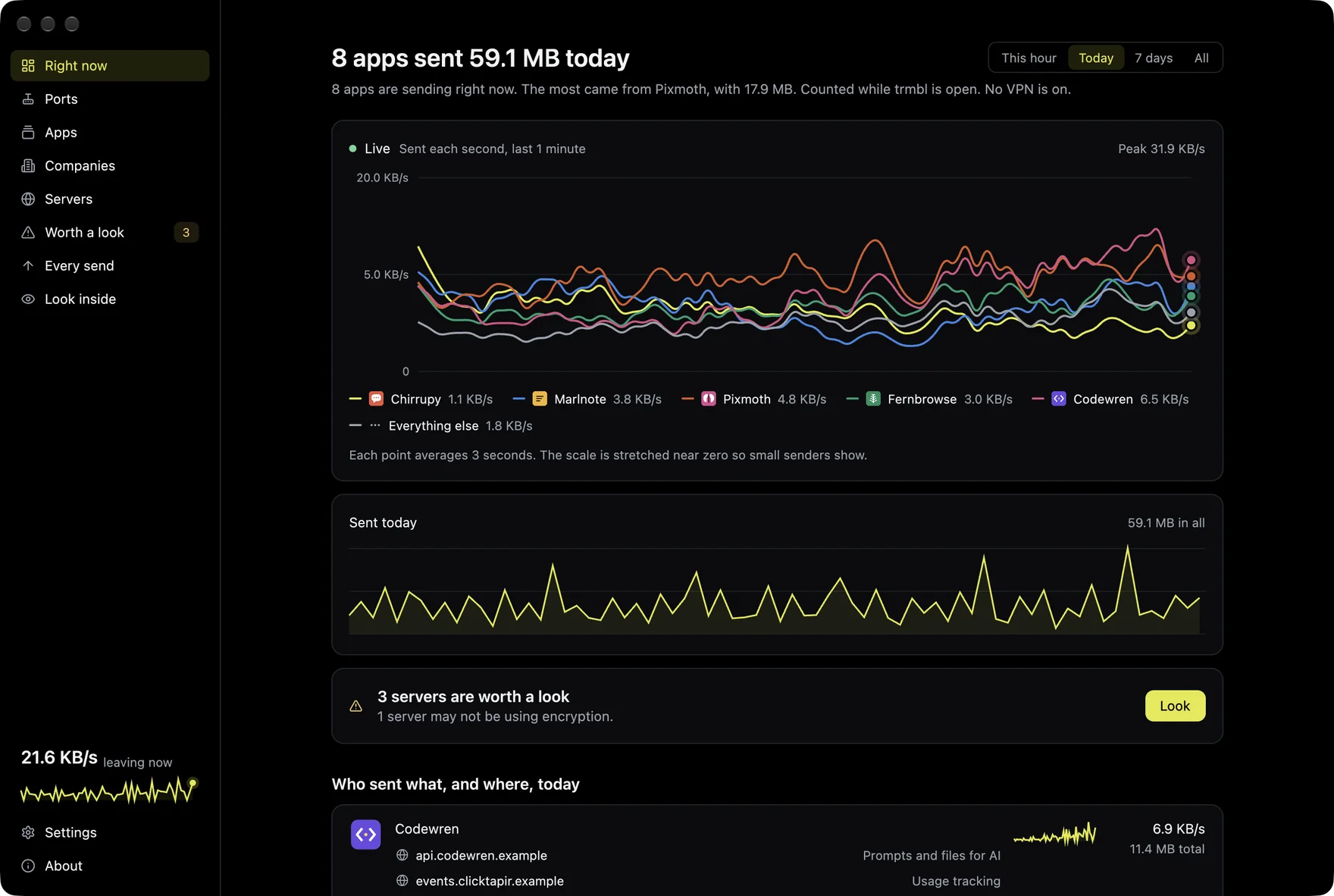
Open trmbl and the first page answers one thing: which apps sent data in the last 20 seconds, and how much. Each app gets its own line on a live chart, so the one that suddenly gets busy is easy to spot. Below that, each app is listed with the servers it sent to and a plain label for what kind of data it was.
That page alone changes how the machine feels. A note-taking app that syncs every few seconds. A browser with a dozen tabs chattering away. A chat app that never quite goes quiet. None of it is alarming. You just didn’t know, and now you do.
Then ask where it went
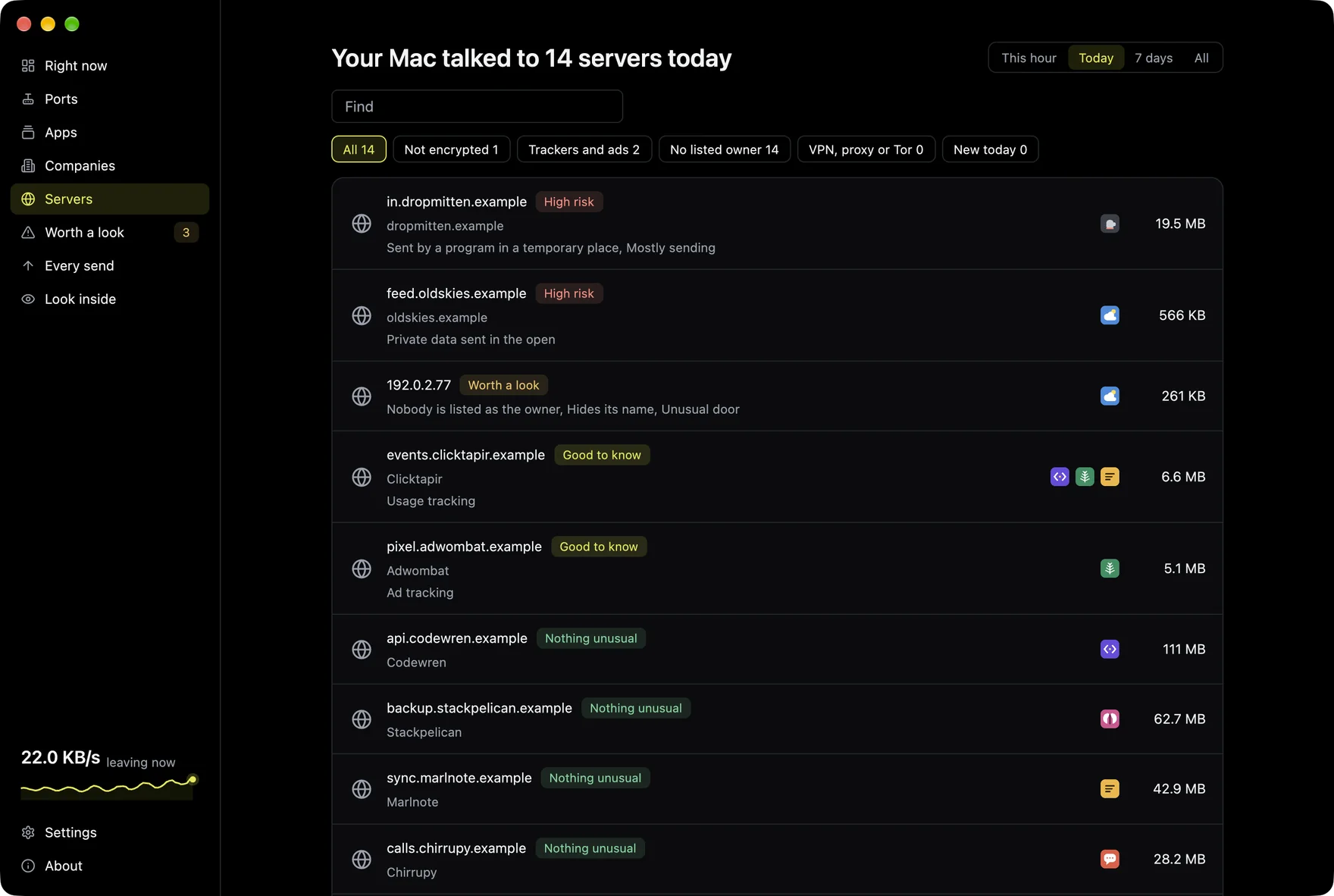
An address like 198.51.100.12 tells you nothing. So trmbl names the server, and the company behind that server where one is listed. The Servers page is every place your Mac talked to today, who runs it, and which of your apps sent data there.
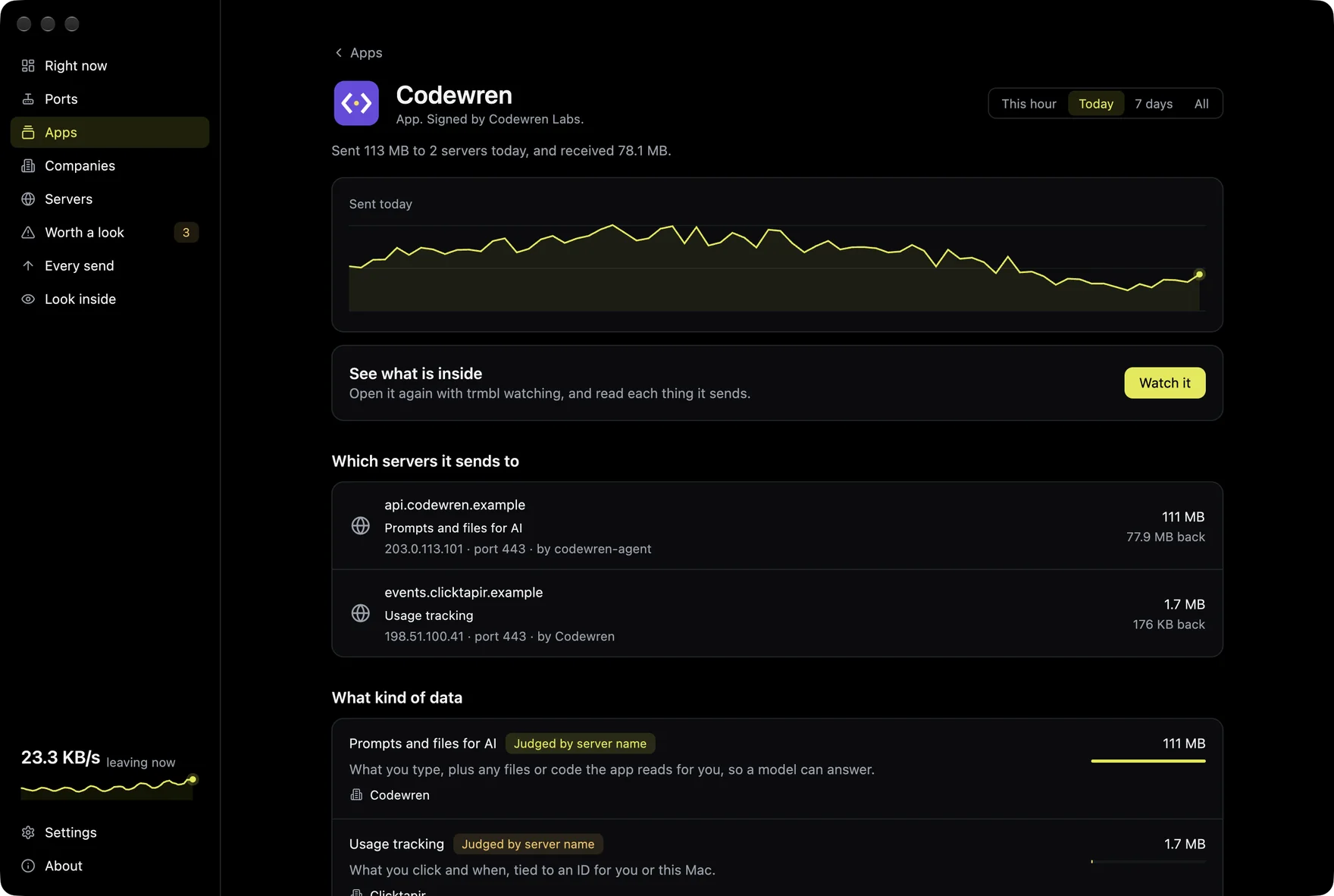
Pick any app and you get its whole story: how much it sent today and how much came back, every server it used, and each time it happened.
What kind of data, and how sure we are
“Sent 113 MB” is half an answer. The other half is what it was. trmbl puts a plain label on it: a prompt for an AI, a synced file, usage tracking, an ad, a message.
Here’s the honest part. Most traffic is encrypted, and it should be. That means trmbl usually can’t read it, and has to judge by the server’s name or by what the app is for. So every label says what it’s based on. You always know whether you’re looking at a fact or a good guess. We cared about this more than almost anything in the window, because a tool that sounds sure about everything is not one you can lean on.
The servers worth a second look
Most of what leaves your Mac is fine. A few things deserve a second look, and trmbl points at those and says why. Data sent without encryption. A program running out of a temporary folder with no known developer behind it. An address nobody is listed as owning.
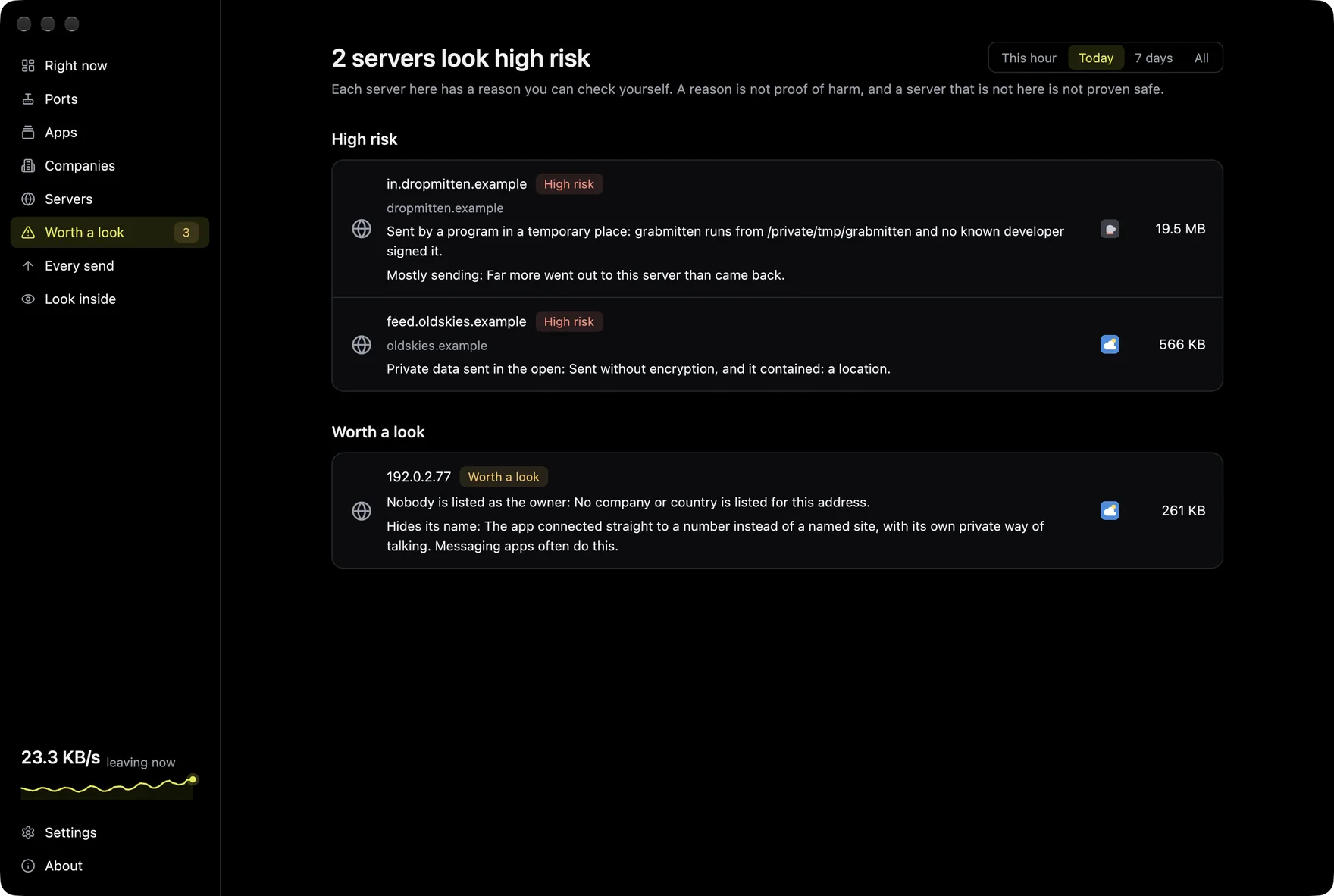
A reason is not proof of harm, and trmbl says so on that page. It also doesn’t block anything. It’s a monitor, not a firewall. It shows you what’s happening, and what you do about it is up to you.
Wi-Fi is only one door
Data leaves a laptop in more ways than the network. So trmbl watches the other doors too, live each second: Ethernet, the headphone jack, the speakers, disks and USB drives, what’s plugged into each socket, and which app is using the microphone.
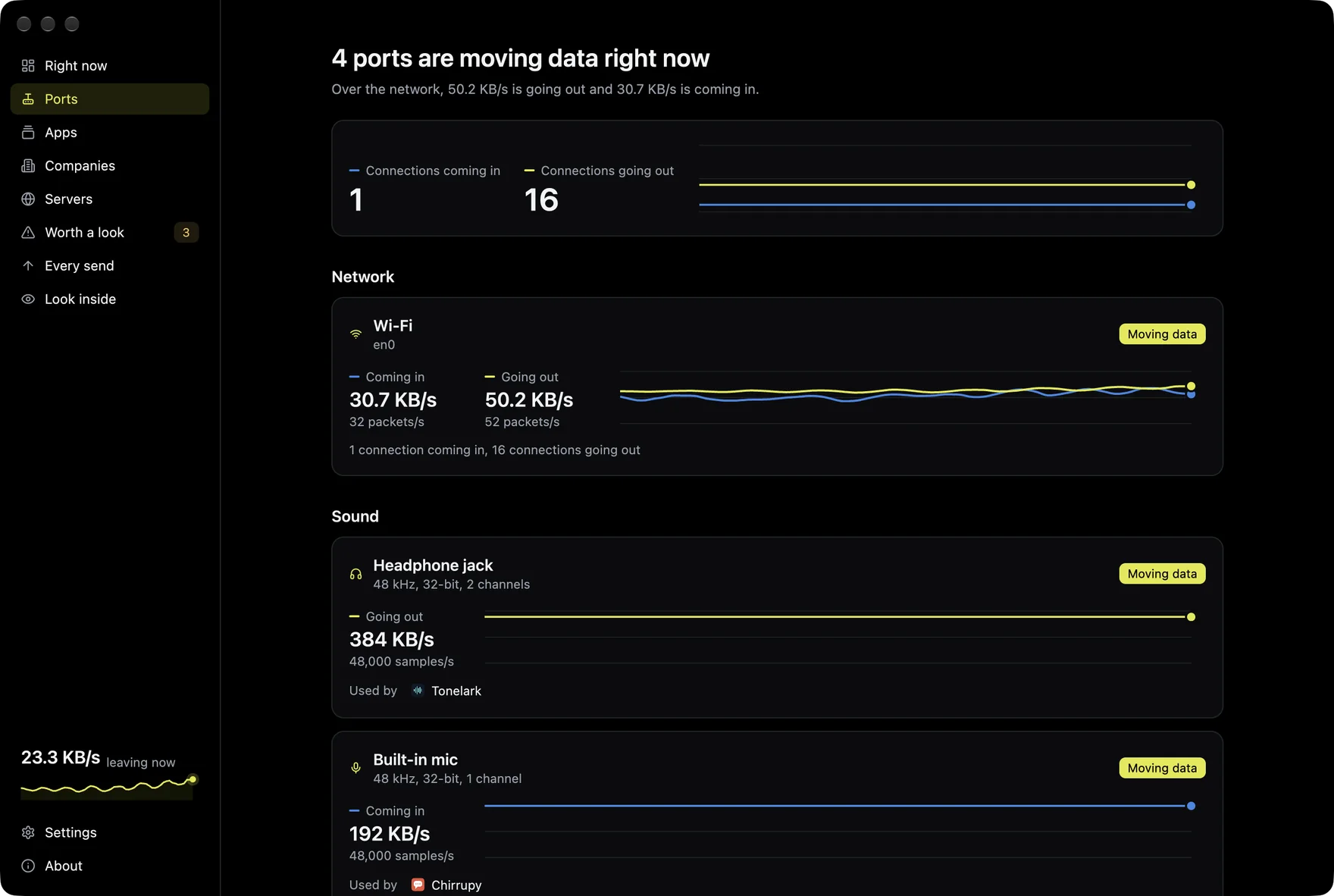
For the microphone and camera it only counts. It shows that an app is using the mic and how much sound is moving. It shows whether the camera is on. It never hears or sees anything, and it never asks macOS for access to either one.
When you want to be sure
Sometimes a guess isn’t enough. Look inside lets you pick one app and use it the way you normally would. While you watch, trmbl reads what that app sends and tells you in plain words: a prompt, a file path, a location, an ID for your Mac.
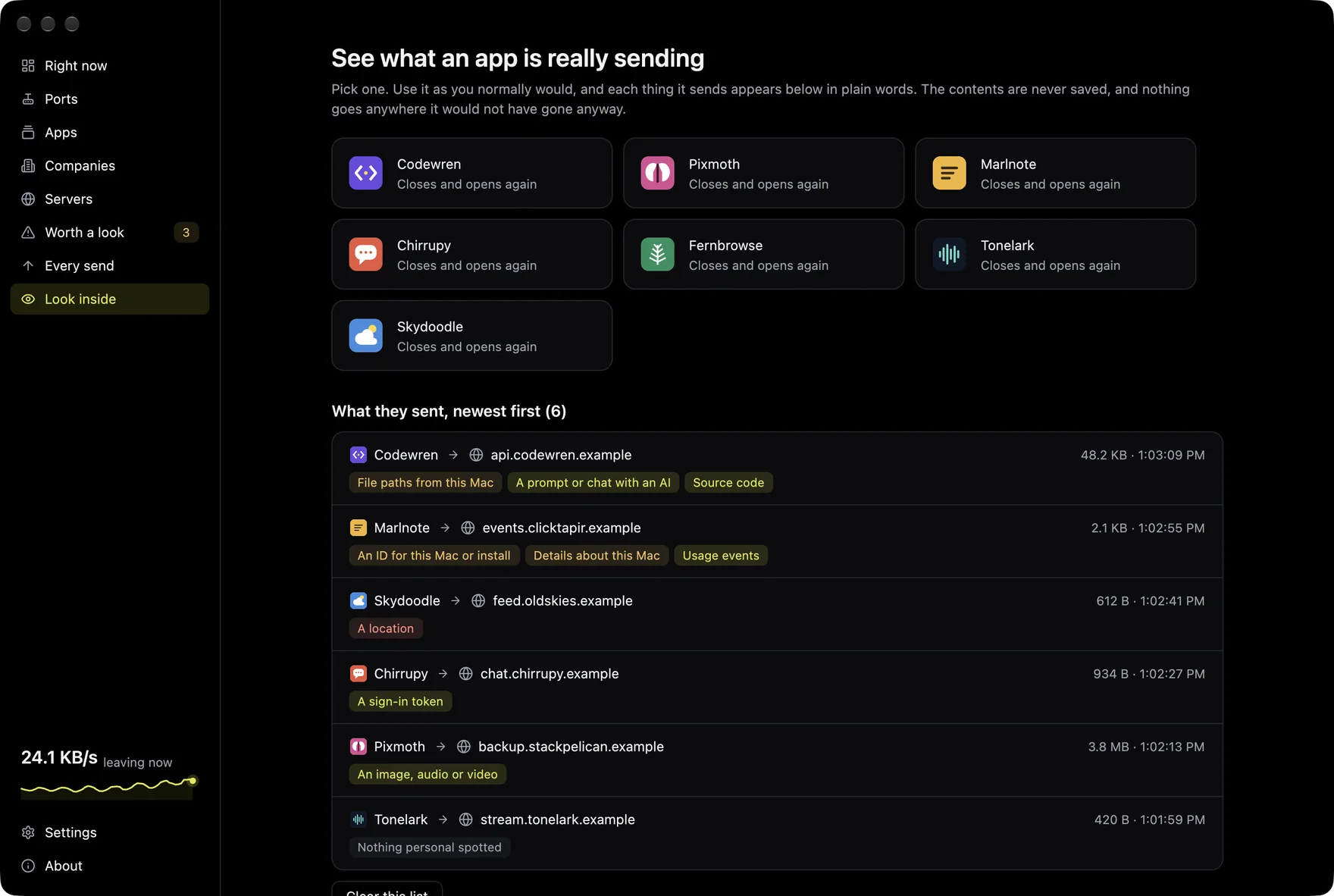
It’s the only time trmbl reads contents, and nothing it reads is saved. It’s gone when you quit. Some apps refuse to be read this way, and when that happens trmbl tells you instead of pretending.
The awkward part
An app that watches your data is exactly the kind of app you shouldn’t trust. We spent more time on this than on anything you can see in the window.
- No account. trmbl asks nothing about you. A key opens it.
- Cut off. The part of trmbl that draws the window is blocked from the internet by macOS, and it checks that block every time it opens.
- Locked up. Your history is encrypted on your Mac, and you choose how long to keep it. You can wipe all of it whenever you like.
- No telemetry. It makes two calls home: one to check that your key is paid for, one to look for a new version.
- It counts itself. trmbl measures its own traffic the same way it measures every other app’s, and shows you the number.
That last one is the point. We’d rather you check us than take our word for it.
Setup is short. App counts, ports and your history need nothing from you. Server names and the kind of data need your password once, to add a small helper that runs macOS’s own network tool while trmbl is open. It never asks for screen recording, location, contacts, accessibility or full disk access.
What it won’t do
It’s Mac only, on macOS 13 or later, Apple silicon or Intel. It counts while it’s open, so it can’t tell you about last Tuesday if it wasn’t running. It won’t block a connection. And it won’t claim to know what was inside an encrypted message it couldn’t read.
We think that’s the right size for it. It does one job: it lets you look.
Why us
Our other products, Bumpkit and Kaarigar, are for companies that want to stay in charge of what AI agents do with their code. trmbl is the same idea at the size of one person and one laptop. You can’t be in charge of something you can’t see.
It’s also the first thing we’ve made that anybody can just buy.
Try it on your own Mac
We don’t think most apps are up to anything. Most of what you’ll see is boring, and boring is a fine thing to find out. But it’s your machine and your data, and ten minutes with trmbl open will tell you more about it than years of using it has.
If it shows you something you didn’t expect, tell us.